Multi-functional printers (MFPs) support efficient, streamlined document workflows. Whether it’s printing reports, scanning and storing documents to the cloud, or managing daily paperwork, MFPs offer a range of capabilities that go beyond traditional office printers.
As an independent supplier, we partner with top hardware brands to deliver tailored solutions that align with your goals.
Get in touch with a specialist to find out more.
Selecting the right MFP for your requirements significantly impacts efficiency, productivity, and ease of use. Benefits include:
Enhanced Functionality
Many MFPs offer advanced features, such as scanning directly to cloud platforms, automating repetitive tasks, and integrating with existing document management systems.
Ease of Use
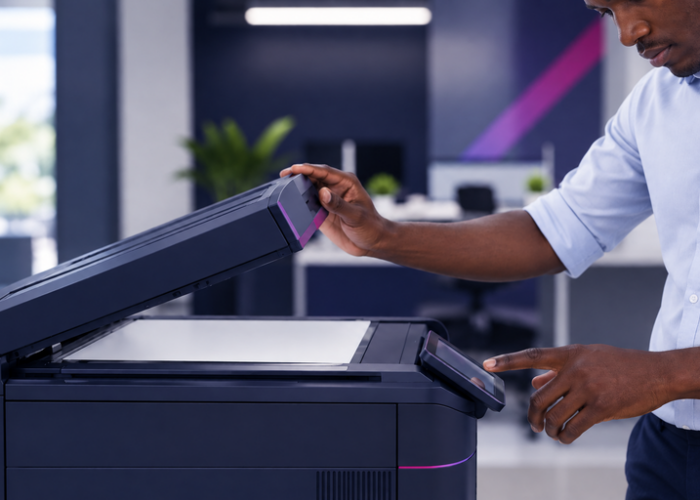
User-friendly interfaces make MFPs accessible for all team members, reducing training requirements and minimising errors. With intuitive touchscreens and customisable settings, employees can easily access the functions they need.
Boosted Productivity
High-performance MFPs are designed to handle large print volumes and support fast, efficient scanning and copying. By streamlining everyday tasks, MFPs help boost productivity across departments.
We focus heavily on providing choice and flexibility across our services and solutions. We work with a range of market-leading hardware partners to offer a selection of the best MFPs available. Our independence from specific brands means we can prioritise finding the right solution for your business rather than just promoting one manufacturer’s products. We objectively assess your needs and recommend the MFP to fit your operational and budgetary requirements. We tailor our recommendations to your goals, whether you need advanced scanning capabilities, cloud integration, or high-speed output.
We take a consultative approach to help you select the best MFP solution, ensuring it aligns with your specific requirements and supports your business goals. We begin with a needs assessment, understanding your document processes, print volumes, and specific requirements for printing, scanning, and document management. This allows us to recommend MFPs with the features that will provide the most value for your organisation.
Based on our assessment, we provide tailored recommendations to match your operational and budgetary needs. Once the right MFP is chosen, our team manages installation, setup, and configuration to ensure seamless integration with your existing systems.

Choosing the right printer or MFP solution enables you to optimise document management and improve your overall productivity. Our expertise and vendor-agnostic approach mean we can find, implement, and maintain the ideal devices to support your business needs. And our team will guide you through each step, from selecting the right hardware to seamless installation and ongoing support.
Contact our experts today to discover Dataquest’s Printer and MFP solutions.
Read some of the questions we commonly get asked about our Printers and MFPs services.
A standard printer is designed primarily for printing, while a multi-functional printer, or MFP, combines several document functions in one device. This usually includes printing, scanning, copying, and sometimes faxing. More importantly, modern MFPs support wider document solutions and automated workflows, helping to improve document security, streamline administration, and manage information more efficiently.
This depends on your budget, print volumes, and how often your requirements change. Buying can suit organisations that want full ownership and have predictable needs. Leasing can make costs easier to manage, reduce upfront spend, and give your business more flexibility to upgrade devices as technology or usage changes.
The right device depends on how many users need access, how much you print each month, the types of documents you produce, and whether your teams need features such as secure print release, high-speed scanning, cloud connectivity, or finishing options. A smaller office may only need a compact MFP, while larger organisations may require higher-capacity devices.
Yes, they can be if not managed properly. Modern printers and MFPs are connected devices, which means they should be treated as part of your wider IT environment. Security measures such as user authentication, secure print release, access controls, firmware updates, and encrypted data handling all help to reduce risk and protect your data.
Yes. The right MFP can help reduce unnecessary printing, consolidate multiple devices, improve energy efficiency, and give better visibility of usage across teams. When combined with print management tools, you can track print behaviour, set rules and control costs.
Yes. Many modern MFPs can scan directly to cloud platforms, email, document management systems, or shared folders. This reduces manual administration, speeds up document handling, and makes information easier to store and share.
There is no fixed rule, but many businesses review their print devices every three to five years. Replacement may be worth considering sooner if devices are becoming unreliable, expensive to run, difficult to secure, or unable to support newer cloud and document management requirements.

Read full story

Read full story

Read full story
Read full story

Read full story

Read full story

Read full story

Read full story

Read full story
Read full story